Canva Burger Sandwich Cookbook: A Template for Food Creators
You have a passion for food. Maybe you're a chef perfecting a new smash burger, a food blogger documenting your culinary journey, or an Instagrammer whose drool-worthy sandwich photos stop thumbs mid-scroll. You know your recipes are good enough to share, maybe even sell. But the thought of designing a professional-looking cookbook from scratch feels overwhelming. It’s a project that requires layout skills, typography knowledge, and a consistent visual theme—time and expertise you might not have. This is where a dedicated template changes everything, turning your culinary creations into a polished, shareable asset.
More Than Just a Document: The Anatomy of a Polished Recipe Book
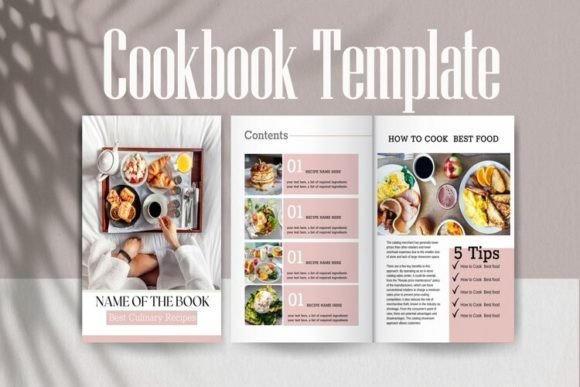
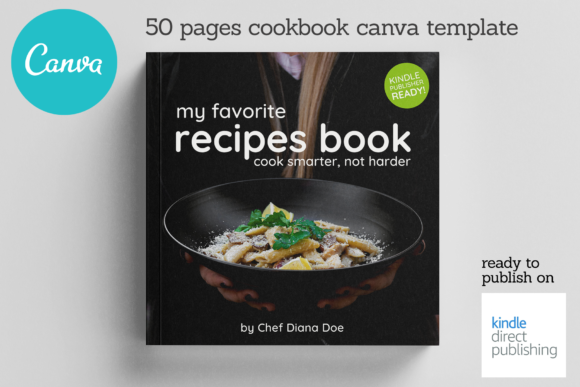
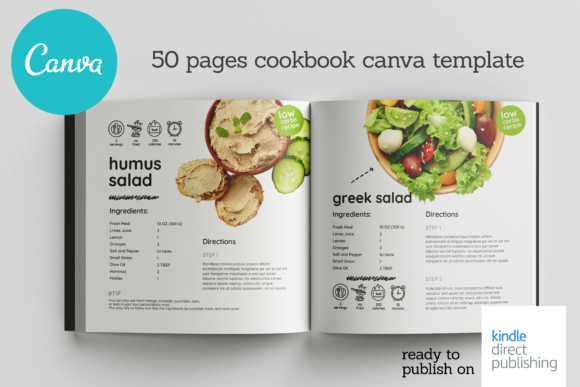
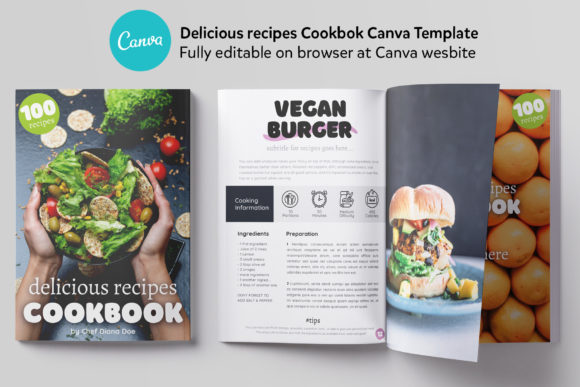
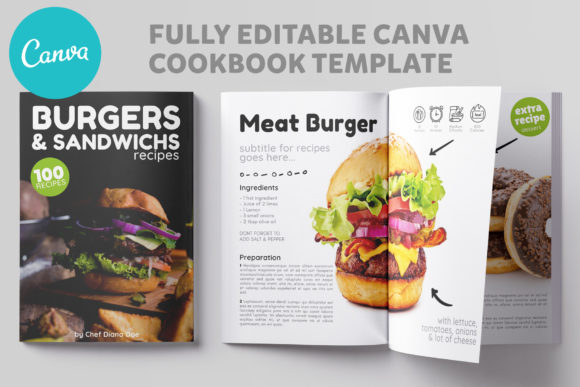
The Canva Burger Sandwich Cookbook template isn't a blank page; it's a complete editorial design system built for food. Its visual personality is clean, modern, and appetizing. The style balances professional structure with warm, inviting aesthetics, ensuring your food photography is always the hero. The overall appeal lies in its completeness. You’re not just getting a few recipe pages; you’re getting a 20-page narrative. This includes a compelling cover page that sets the tone, an editorial page to introduce your theme or story, a dedicated "About the Author" page to build your personal brand, and a structured table of contents. The core of the template features six unique recipe layouts. This variety is crucial. It prevents your cookbook from feeling repetitive, allowing you to match the layout to the complexity or visual nature of each dish. A simple sandwich might use a clean two-column layout, while a more involved burger recipe could use a full-page photo spread with step-by-step instructions.
This template functions as a powerful design asset. For a food blogger, it’s the bridge between a blog post and a tangible product. You can compile your top 10 burger recipes into a free PDF lead magnet to grow your email list. For a chef or small restaurant, it becomes a stunning digital or print menu insert for a signature item. For an Instagrammer, it’s a way to package your content into a downloadable guide for your audience, adding immense value to your social media presence. The A4 size is a global standard, making it perfect for digital distribution and easy printing. The fact that it’s a Canva template is its greatest strength. It lives in a platform millions already use, requiring only a free Canva account. The process is straightforward: you receive a file with a direct link. You click, a copy is made to your account, and you start editing. There’s no software to install and no steep learning curve.
Practical Guidance: Making the Template Your Own
So, how do you approach using the Canva Burger Sandwich Cookbook effectively? Start with your content. Before you touch a single element in Canva, gather your recipes, write your instructions clearly, and most importantly, curate your best food photography. A template can frame your content beautifully, but it can’t create it for you. High-quality, well-lit photos are non-negotiable for a food-focused project.
Once inside Canva, think about brand identity. The template provides a cohesive style, but you should infuse it with your personality. Change the color palette to match your blog or brand colors. Swap out the placeholder fonts with ones that reflect your voice—maybe a modern sans serif font for clean headings and a friendly, readable serif for body text. The template likely uses well-chosen font pairing, but don’t be afraid to test your own combinations to ensure they align with your existing brand. This is where you influence brand perception and consistency. A cohesive look across your website, social media, and this cookbook builds recognition and professionalism.
Pay close attention to readability and visual hierarchy. The template’s layouts are designed to guide the reader’s eye from the title to the image to the ingredients and method. Use this structure. Make your recipe titles stand out. Use bold text for ingredient lists to make them scannable. Ensure there is enough white space so the page doesn’t feel cramped. The six unique layouts are your playground. Use a layout with a large photo for your showstopper dish. Use a more text-focused layout for a recipe where the story or technique is as important as the final image. This variation keeps the reader engaged and makes the cookbook feel dynamic.
Think about the end-use. If you plan to sell this as a digital product, you might add a copyright notice to the footer. If it’s a gift for family, you could add a personal dedication. The template’s structure supports these additions seamlessly. The included notes file with direct links is your roadmap—use it to ensure you’re always working from the master template. While the template is a commercial font in the sense that you can use it for commercial projects (like selling your finished cookbook), always verify the specific licensing for any third-party fonts or elements you choose to add from Canva’s library. The built-in assets are licensed for use within Canva, but it’s a good practice to understand these details.
The Strategic Value for Creators and Small Businesses
For entrepreneurs and content creators, this template is a strategic tool. It allows you to produce a premium piece of content without the premium price tag of a custom designer. It’s a practical solution to a common bottleneck: transforming knowledge into a marketable format. A food blogger can use it to create a paid recipe booklet. A cooking instructor could package class recipes for students. A local bakery could design a beautiful booklet showcasing their signature items for catering clients. The applications extend beyond pure publishing into packaging design (for a digital product) and marketing.
The efficiency is remarkable. What might take weeks of design work can be accomplished in a few focused hours. This speed allows you to be responsive. Did a particular burger recipe go viral on your social media graphics? You can quickly compile it with a few others into a mini-ebook and capitalize on that engagement. This agility is a significant competitive advantage. The template removes the design barrier, letting you focus on what you do best: creating and sharing great food content. It’s not about making you a typography expert; it’s about providing a solid, professional foundation so your culinary expertise shines through a polished final product.