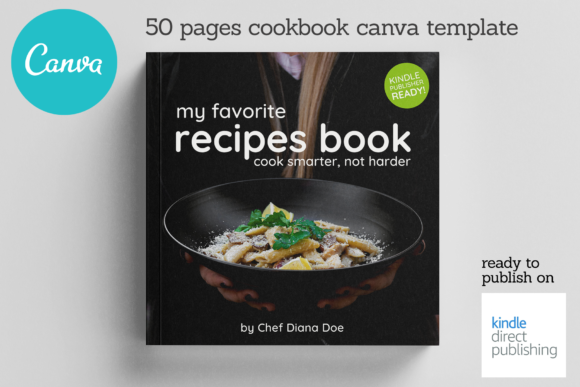
Canva CookBook Template: Your Recipe for a Stunning Recipe Book
You have a collection of recipes that people love. The flavors are perfected, the steps are clear, and the stories behind each dish are ready to be told. The missing piece is a beautiful, professional vessel to present them. This is where a dedicated template becomes more than a shortcut; it's a foundational design asset. The Canva CookBook Template provides that polished, ready-to-edit framework, allowing you to transform your culinary passion into a tangible product without needing a design degree or expensive software.
Understanding the Template's Design Language
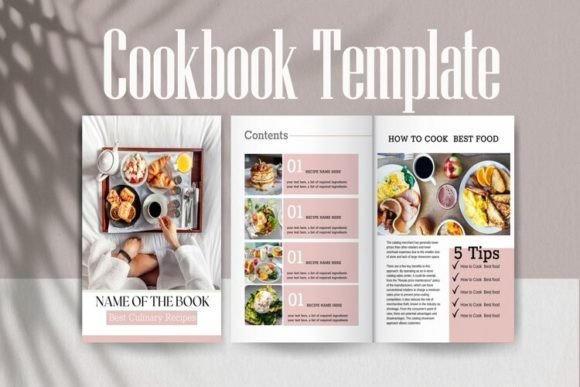
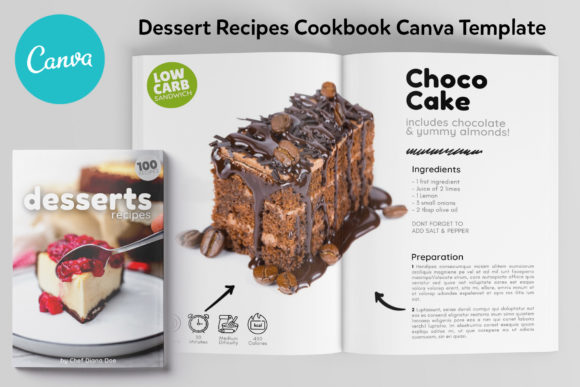
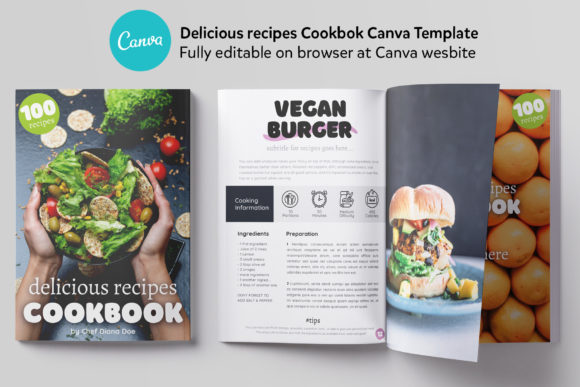
At its core, this template is built for clarity and appetite appeal. The visual personality is clean, modern, and inviting. Think of it as a well-organized kitchen—everything has its place, but the space feels warm and ready for creation. The style typically balances beautiful food photography with ample white space, ensuring the recipes are the hero. The overall appeal lies in its professionalism; it instantly elevates a collection of recipes into a cohesive magazine-style publication or a classic cookbook, ready for sharing digitally or printing physically. The design avoids clutter, focusing on elegant typography, structured layouts for ingredients and instructions, and dedicated sections for introductions and notes.
Where This Template Truly Shines
The applications extend far beyond a personal cookbook. Its structured yet flexible design makes it a powerful tool for various projects.
- Publishing & Digital Products: This is your direct path to Kindle Direct Publishing or other print-on-demand services. The 8.5x8.5 inch size is a popular, manageable format for cookbooks. Use it to create and sell your recipe book as a PDF or a physical copy.
- Brand Building & Marketing: For food bloggers, chefs, and Instagram influencers, a consistent visual brand is crucial. The Canva CookBook Template serves as a cornerstone of your brand identity. The included 40 Instagram templates that match the book design are not just a bonus—they're a strategic toolkit for promoting your book, sharing recipe teasers, and maintaining a cohesive look across all social media graphics.
- Client Work & Content Creation: If you're a content creator or a chef offering client services, this template allows you to quickly produce professional recipe guides, meal plans, or workshop materials. It adds immense value to your deliverables, showcasing your work in a polished format.
- Personal Projects & Gifting: Compile family recipes into a beautiful heirloom. Create a personalized gift for a wedding, anniversary, or holiday by curating favorite dishes into a professionally designed book.
The Practical Path from Template to Finished Book
The process is designed to be straightforward, even for those new to design. All you need is a free Canva account. The provided package includes a NOTES FILE with direct links to the master templates. This eliminates guesswork—you copy and paste the link, and the editable template opens directly in your Canva workspace. The PDF file with all links to Canva banners ensures you have every piece of the promotional toolkit at your fingertips.
From there, customization is key. Swap out the placeholder text and images with your own. The template's visual hierarchy is already established, guiding the reader's eye from the recipe title down to the ingredients and method. You can adjust colors to match your brand, select alternative font pairings from Canva's library if desired, and ensure every page reflects your unique style. The fully editable nature means you're not locked into the original design—you're using a professional starting point.
Making the Design Work for Your Audience
A successful cookbook does more than list instructions; it creates an experience. The layout of this template influences readability and audience engagement. Ample space around text blocks prevents the page from feeling cramped. Clear distinctions between recipe components help users follow along easily, whether they're cooking from a tablet screen or a printed page. This thoughtful editorial design enhances brand perception, positioning you as an authority who values both content and presentation. Consistency across all 50 pages builds recognition and trust with your audience.
Evaluating Fit and Final Considerations
Before diving in, consider how the template's inherent style aligns with your recipes. Is the modern, clean aesthetic right for your rustic, homestyle dishes, or does it perfectly complement your contemporary, minimalist cuisine? Test the font pairing and layout with a sample of your own content. Does the text remain legible at different sizes? Do the photo placeholders suit the aspect ratio of your images? Remember, while the template provides the structure, your unique recipes and photography will bring it to life. The included design assets and clear instructions are your roadmap. With your content and this professional framework, you are equipped to produce a cookbook that not only shares your recipes but also strengthens your creative or business brand.