Canva Frame Alphabet: The Ultimate Drag & Drop Design Tool
If you've ever tried to create those trendy, hollowed-out letter designs where a photo appears inside the text, you know the struggle is real. Usually, it involves complex clipping masks, layers, and software that costs a fortune. That is exactly why the Canva Frame Alphabet and Canva Frame Letter sets are changing the game for creators. This isn't just a font file; it is a fully editable, drag-and-drop system designed to make your life easier and your designs look professional. Whether you are a small business owner, a social media manager, or a hobbyist looking to make personalized gifts, this template bridges the gap between high-end graphic design and user-friendly accessibility.
Understanding the Canva Frame Letter Concept
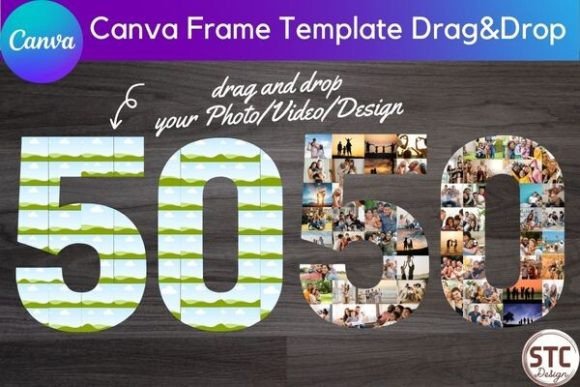
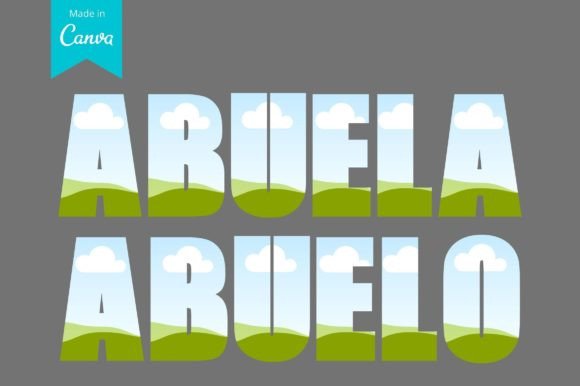
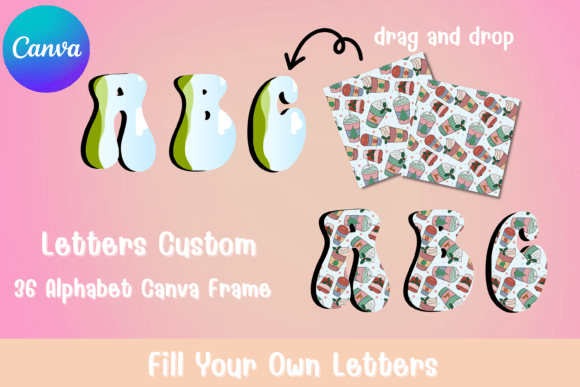
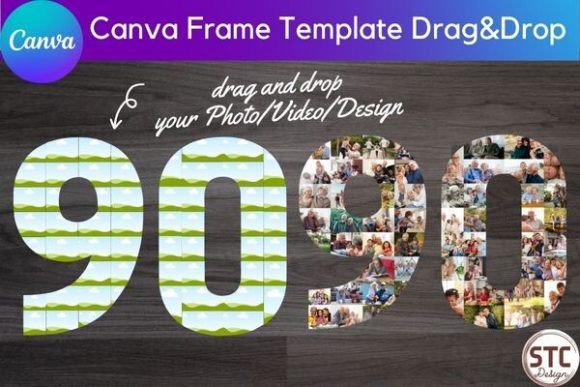
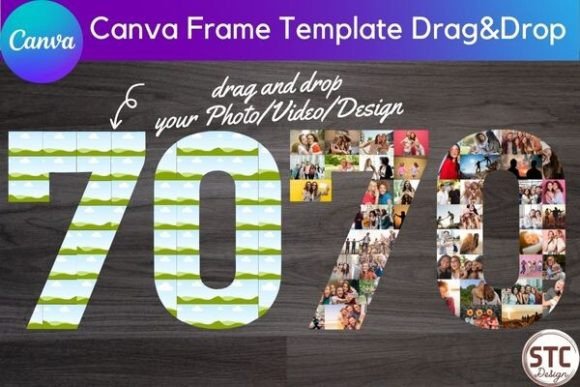
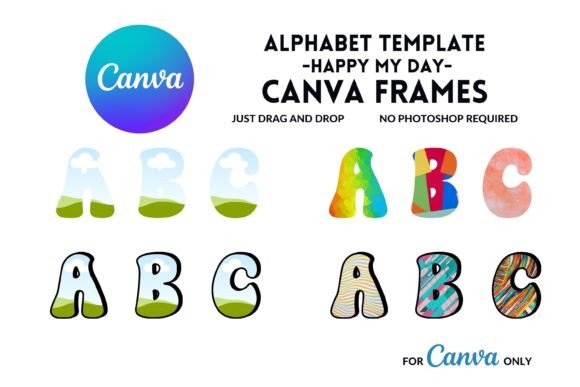
At its core, the Canva Frame Alphabet functions as a set of digital die-cuts. Instead of typing a letter that is solid black or blue, you are placing a "frame" onto your canvas. Visually, these letters are hollow. They possess a clean outline—usually a bold stroke—while the interior remains transparent or filled with a placeholder image. The personality of this style is inherently modern, bold, and tactile. It feels three-dimensional because of how it interacts with imagery. When you drag a photo into one of these frames, the texture of the image becomes the texture of the letter. This creates a visual hierarchy that is impossible to achieve with standard serif fonts or sans serif fonts.
The appeal lies in the versatility. The Canva Frame Letter structure acts as a window. It invites the viewer to look closer. In a world of flat design, this technique adds depth and context. It is a premium font concept packaged in a way that doesn't require a premium design degree to execute. You aren't just getting a typeface; you are getting a design system that integrates seamlessly with the millions of assets available inside the Canva library.
Real-World Applications: Where to Use Fill Your Own Templates
The true value of this asset is found in its application. Because this is a commercial use approved product, the possibilities for entrepreneurs and designers are vast. Here is how different audiences can leverage the Canva Frame Alphabet:
Branding and Logo Design
For startups and established brands, logo design is about recognition. Using a Canva Frame Letter allows you to incorporate brand photography directly into your logotype. Imagine a bakery using a photo of crusty sourdough inside the letter "B," or a photographer using a portrait inside their initial. It creates a unique brand identity that tells a story instantly. It moves beyond standard display font choices to create something truly bespoke.
Digital Marketing and Social Media
On platforms like Instagram and Pinterest, stopping the scroll is the goal. Text-heavy posts often get ignored, but a bold visual created with these templates grabs attention. Use the Canva Frame Alphabet to spell out a sale announcement using photos of your products. It is perfect for "Shop the Look" posts or highlighting a specific service. The visual impact of seeing a texture inside a letter increases engagement significantly compared to standard social media graphics.
Publishing and Editorial Design
If you are a blogger or a publisher, chapter headers and pull quotes need to stand out. Using a Canva Frame Letter for a drop cap at the beginning of an article adds a high-end magazine feel to your web design or PDF downloads. It breaks up the monotony of text blocks and guides the reader's eye. This style of editorial design usually requires expensive software, but with these editable templates, you can achieve that look in minutes.
Personal Projects and Crafting
Don't underestimate the power of personalization. For crafters, these templates are gold. You can create monograms for wedding invitations, birthday cards, or nursery wall art. The ability to fill your own images means you can use family photos, textures like wood grain or marble, or even digital scrapbook papers. The result is a creative font style output that looks custom-made.
Design Strategy: Pairing and Visual Hierarchy
While the Canva Frame Alphabet is a showstopper, it needs to be used with a bit of strategy. Because these letters are visually heavy and complex (depending on the image inside), they function as a display font. You should avoid using them for long paragraphs of body text. The readability of a paragraph made entirely of photo-filled letters would be very low.
Instead, focus on font pairing. To make the Canva Frame Letter pop, pair it with a simple, clean background. If you are placing these letters over a photo background, ensure the letter outlines are thick enough to contrast with the busy background. Alternatively, place the letters on a solid color block to let the internal imagery shine.
For accompanying text, such as a tagline or a date, use a complementary handwritten font for a casual vibe, or a geometric sans serif font for a corporate look. The frame letters are the main event; everything else should support them. Think of the Canva Frame Alphabet as the headline act and your body copy as the backup singers.
Practical Guide to Editing and Commercial Use
One of the biggest hurdles in graphic design is the learning curve of software. This product eliminates that. You do not need to download heavy software or learn vector paths. The process is simple:
- Access the Template: You will receive a PDF with a link. Clicking this link opens the editable template directly in Canva.
- Customize the Look: You can change the color of the letter outline to match your brand palette. You can thicken the stroke or thin it out depending on the modern typography look you prefer.
- Drag and Drop Images: This is the fun part. Simply drag your chosen photo from the "Uploads" tab or the "Elements" tab and drop it into the letter frame. Canva automatically masks the image to fit the letter shape.
- Resize and Position: You can click inside the frame to zoom in on a specific part of the photo or reposition it so the subject's face is perfectly centered in the letter.
Commercial Licensing and Terms
For designers and agencies, understanding the license is crucial. This product comes with commercial use rights. This means you can use the designs you create with these templates for client work, products for sale (like posters or t-shirts), and digital marketing assets. You are purchasing the right to the template structure and the design elements provided by elementdesignandart. You are free to monetize the designs you create using this framework, making it a valuable asset in your design assets toolkit.
Evaluating Fit and Readability
Before you commit to using the Canva Frame Alphabet for a project, do a quick "squint test." Squint your eyes and look at your screen. Can you still read the letters? If the image inside is too high-contrast or too busy, the letter shape might get lost. If the letter shape gets lost, the message is lost.
If you find readability is suffering, try these adjustments:
- Adjust Opacity: Sometimes toning down the image opacity helps the letter outline stand out.
- Add a Drop Shadow: A subtle shadow can separate the letter from the background, improving legibility.
- Use High-Contrast Images: Images with a distinct subject and a blurry background often work best inside frames.
Ultimately, the Canva Frame Letter is about creativity meeting efficiency. It allows you to produce high-quality, professional web design elements and print materials without the steep learning curve. Whether you are building a brand identity or just making a fun birthday card, this tool provides a polished, modern look that stands out in a crowded digital space. It is a practical, powerful addition to any creative workflow.